AI Meta Description
Generate optimized meta descriptions for better search rankings
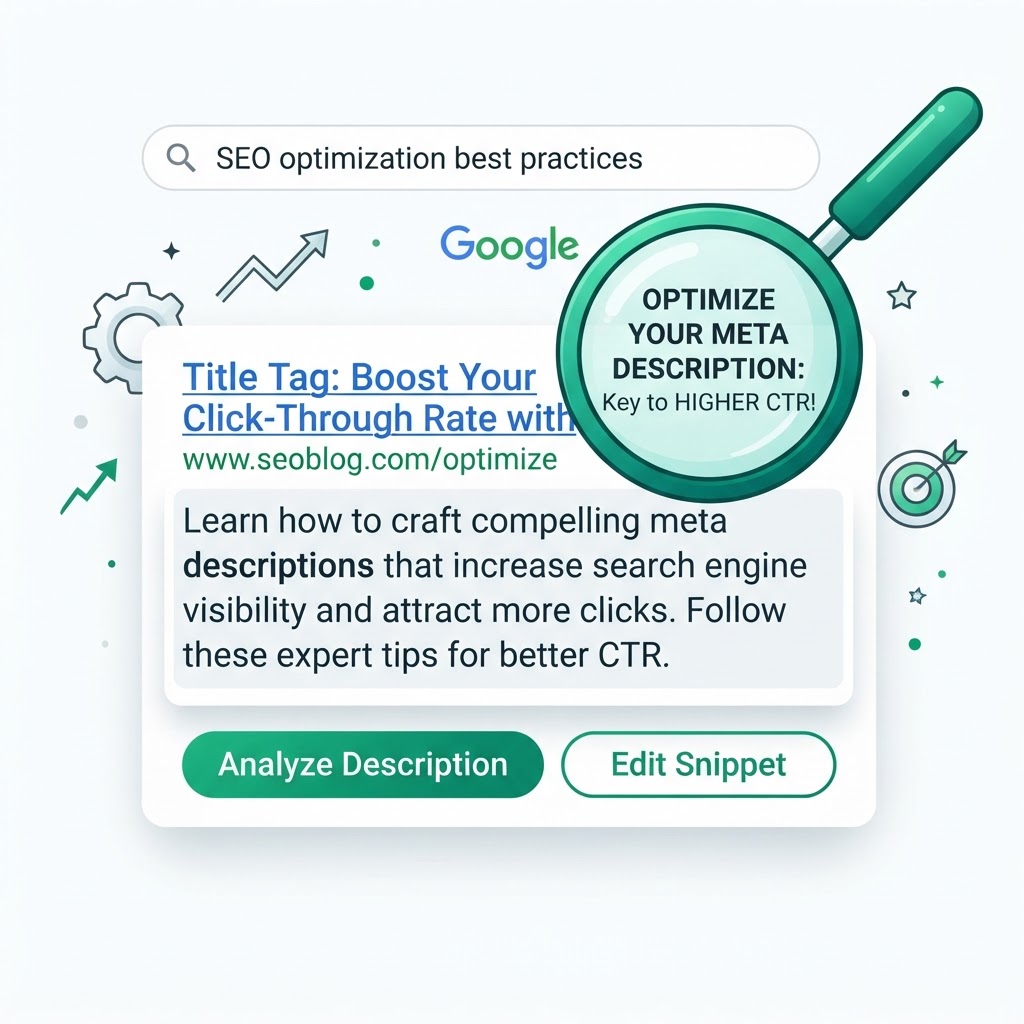
What a Meta Description Really Does for Your Page
The meta description is your page's advertisement in Google search results. While it is not a direct ranking factor, it is one of the biggest levers you have over click-through rate — and click-through rate is a strong indirect signal search engines use to judge relevance. A compelling, well-written description can increase your clicks by five to fifteen percent compared to a Google auto-generated snippet, directly increasing organic traffic without any ranking change.
When you leave the description blank or let Google auto-generate one, you lose control over your own search snippet. Google will pull text from your page, often awkwardly, and the result rarely highlights your key selling point. Writing your own description ensures the right message reaches the right searcher at the exact moment they are deciding whether to click.
The Ideal Length and Structure
Google displays approximately 150 to 160 characters of a meta description on desktop, and slightly less on mobile. Descriptions longer than this get truncated with an ellipsis, which looks unprofessional and can hide your most important selling point. Our generator writes descriptions within this safe range, so nothing gets cut off.
A strong description does three things: it states what the page is about, it highlights the key benefit, and it includes a call to action. It also naturally incorporates the target keyword, which appears in bold in search results when it matches the query — drawing the eye and reinforcing relevance. The generator balances all of these elements within the character limit automatically.
How the AI Generator Produces Better Descriptions
Instead of staring at a blank field trying to compress your page into 155 characters, you provide the topic and target keyword, and the model produces multiple description options in seconds. Each option is written to fit the display limit, incorporate the keyword naturally, and include action-oriented language that encourages the click.
Because the model has been trained on millions of real meta descriptions, it understands the patterns that work: leading with the benefit, using active verbs, and ending with a prompt like "learn more" or "get started." You can generate variations and A/B test them, or pick the strongest one and paste it directly into your CMS.
A Practical Guide to Using the Tool
Enter your page topic and your primary target keyword. If you have a unique selling point or a specific call to action you want included, add it. Click generate, and you will receive multiple description options. Check the character count shown beside each — anything under 160 is safe from truncation.
Compare the options and pick the one that best captures your page's value and matches your brand voice. Copy it into the meta description field in your CMS or SEO plugin. For sites with many pages, run the tool repeatedly to build out a complete set of unique, on-brand descriptions — far faster than writing each one from scratch.
Common Meta Description Mistakes to Avoid
The most common mistake is duplication — using the same description across multiple pages. Google may penalize pages with duplicate meta descriptions, and it certainly does not help searchers distinguish between your pages. Every important page should have a unique description. The second mistake is keyword stuffing, which reads unnaturally and can look spammy in search results.
A third mistake is treating the description as a summary rather than an advertisement. A summary says what the page is; an advertisement says why the reader should visit. Focus on the benefit, not just the topic, and you will earn more clicks from the same rankings.
Will Google Always Use My Description?
Not always. Google sometimes replaces your meta description with a snippet pulled from page content if it judges that snippet more relevant to the specific search query. This is more likely for long-tail queries where your description does not contain the exact term. You cannot fully control this, but writing strong, keyword-relevant descriptions maximizes the chance Google uses them — and when it does, you get the click.
Monitor your search performance in Google Search Console. If you notice a page with a high impression count but low click-through rate, the description may be the problem. Rewrite it, republish, and watch whether CTR improves over the following weeks.
Frequently Asked Questions
Understanding AI Writing Tools
AI writing tools have fundamentally changed how individuals and teams produce written content. Instead of starting from a blank page, you start from a structured draft — one that already reflects proven formats, appropriate tone, and a logical flow of ideas. The role of the human writer shifts from generating every word to curating, refining, and adding the expertise that makes content genuinely valuable.
The most effective way to use an AI writing tool is as a collaborator, not a replacement. Provide it with a clear brief — your topic, your audience, the key points you want covered, and the tone you want — and you will get a far stronger result than from a vague prompt. The more specific your input, the more useful the output. A prompt like "write about marketing" produces generic text; a prompt like "write a 600-word LinkedIn post explaining why B2B SaaS startups should prioritise retention over acquisition, for an audience of seed-stage founders, in a confident but approachable tone" produces something you can actually publish with light editing.
It is also important to understand the limits of AI-generated content. AI can produce fluent, well-structured text, but it does not have first-hand experience, proprietary data, or genuine opinions. For content that depends on original research, personal expertise, or verified facts, always review and augment the output. Google’s helpful content guidance rewards content that demonstrates real expertise and serves the reader — AI-assisted content that is edited and enriched by a knowledgeable human meets that bar; unedited mass-generated content does not.
About AI Meta Description
Generate SEO-optimized meta descriptions that fit Google's display limits and drive higher click-through rates with our free AI Meta Description Generator. Provide your page topic and target keyword, and get multiple description options ready to paste into your CMS.
The meta description is your page's advertisement in Google search results. While it isn't a direct ranking factor, it's one of the biggest levers you have over click-through rate — and CTR is a strong indirect signal search engines use to judge relevance. A generic or missing meta description means Google will auto-generate one from your page content, often awkwardly, and you lose control over your own search snippet.
Our AI writes descriptions between 140-160 characters — the range that displays fully on both desktop and mobile without truncation — while naturally incorporating your target keyword and a clear call to action. The result is a snippet that stands out among the ten blue links and earns the click.
Common Use Cases
Key Features
How to Use AI Meta Description
- 1
Enter your page topic and primary target keyword
- 2
Optionally add a unique selling point or call to action
- 3
Click "Generate" to receive multiple description options
- 4
Check the character count to ensure it fits Google's display limit
- 5
Copy your chosen description into your page's meta tag or CMS field
Why Use AI Meta Description?
Improved Search CTR
A well-written meta description can increase click-through rate by 5-15% compared to a Google auto-generated snippet, directly increasing organic traffic without any ranking change.
Consistent Brand Voice
Generate descriptions that match your site's tone across dozens of pages, rather than writing each one from scratch or leaving some blank.
Prevents Google Truncation
Descriptions over 160 characters get cut off with "..." in search results, which looks unprofessional and can hide your key selling point. Our generator keeps you within the safe range.
Scale Content Production
SEO teams managing hundreds of product or blog pages can generate unique, on-brand meta descriptions in bulk instead of spending hours writing each one manually.

