AI Script Generator
Generate professional scripts for videos, podcasts, and presentations
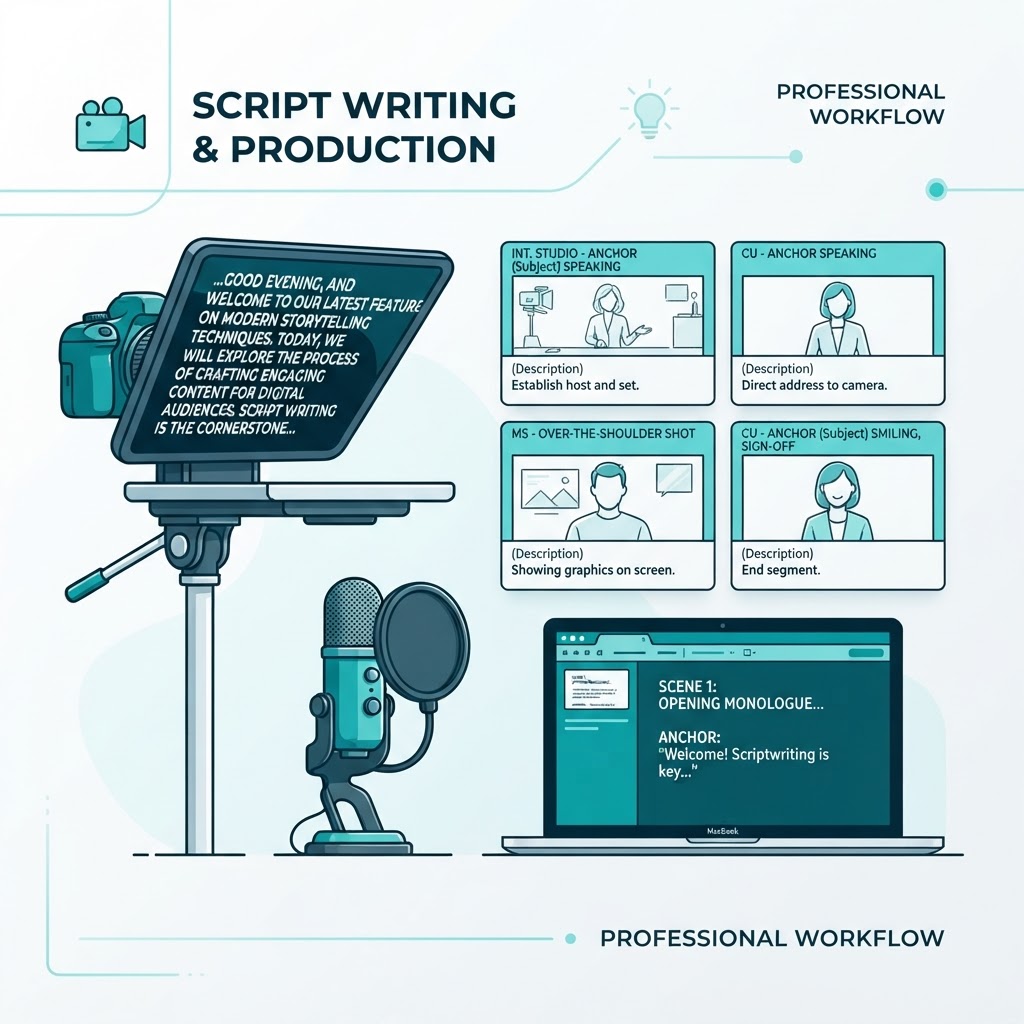
Why Scriptwriting Is the Bottleneck in Video and Audio
Scriptwriting is one of the most time-consuming parts of video and audio content creation. A typical ten-minute YouTube video requires fifteen hundred to two thousand words of script, often taking creators two to three hours to plan, draft, and refine. Podcasters need talking points and structure to keep episodes focused. Presenters need a clear narrative arc to hold an audience's attention.
The blank page is the enemy. Before you can film, record, or present, you need structure — a hook to prevent early drop-off, organized body content, and a closing that includes your call to action. Our AI Script Generator produces that structure in seconds, giving you a solid foundation to personalize rather than a blank page to fill from nothing.
How the AI Script Generator Works
Describe your topic, key points, and the format you need — YouTube video, podcast, or presentation. Specify your desired tone and approximate length. The generator produces a complete first draft structured with a strong opening hook, clearly organized body sections, and a natural closing that includes your call to action.
The model understands the rhythms of spoken content. It writes in shorter, more conversational sentences than written prose, uses transitions that sound natural when spoken aloud, and paces the content to match a standard speaking rate of one hundred thirty to one hundred fifty words per minute. Tell it your target duration and it adjusts the length accordingly.
Structures That Keep Audiences Watching
A strong script follows a proven structure. It opens with a hook — a question, a surprising fact, or a promise — that gives the viewer a reason to keep watching in the first fifteen seconds. It then signals what the video will cover, so the audience knows what they will gain. The body delivers on that promise in clearly organized sections, each building on the last.
The closing matters as much as the opening. It summarizes the key takeaway, reinforces the value, and includes a clear call to action — subscribe, visit a link, try a product. A script that ends abruptly loses the opportunity to convert a viewer into a subscriber or customer. Our generator builds all of this into every draft.
A Step-by-Step Guide to Using the Tool
Describe your topic, the key points you want to cover, and the format — video, podcast, or presentation. Specify the tone: educational, conversational, or persuasive. If you have a target duration, include it so the generator calibrates the word count to the right length.
Click generate and review the full structured draft. Read it aloud — this is the best test of whether a script works. Personalize the phrasing with your own voice, anecdotes, and specific examples. Copy the final script into your teleprompter, notes app, or slides. The draft gives you the structure; your edits give it your voice.
Personalizing the AI Draft
The AI produces a strong structural draft, but no one wants to sound like a robot reading generated text. The final step is personalization. Add your own stories, examples, and opinions — the things only you can say. Replace generic phrases with language you would actually use. Cut sections that do not fit your style and expand the ones that do.
This is where the time savings are real: instead of two to three hours of outlining and drafting, you spend fifteen to twenty minutes reviewing and personalizing. The result is a script that sounds like you, structured in a way that keeps viewers engaged — produced in a fraction of the time.
Reducing On-Camera Anxiety and Improving Consistency
Having a clear, structured script to reference reduces on-camera nervousness and rambling. You know what comes next, so you can focus on delivery rather than searching for the right words. This produces tighter, more professional-sounding content — especially for creators who are still building their on-camera confidence.
For creators publishing multiple videos or episodes per week, the generator enables consistency even during high-volume weeks. The structure stays solid even when time is short, so your audience gets a reliable experience every time they tune in. Over time, this consistency is what builds a loyal audience and a growing channel.
Frequently Asked Questions
Understanding AI Writing Tools
AI writing tools have fundamentally changed how individuals and teams produce written content. Instead of starting from a blank page, you start from a structured draft — one that already reflects proven formats, appropriate tone, and a logical flow of ideas. The role of the human writer shifts from generating every word to curating, refining, and adding the expertise that makes content genuinely valuable.
The most effective way to use an AI writing tool is as a collaborator, not a replacement. Provide it with a clear brief — your topic, your audience, the key points you want covered, and the tone you want — and you will get a far stronger result than from a vague prompt. The more specific your input, the more useful the output. A prompt like "write about marketing" produces generic text; a prompt like "write a 600-word LinkedIn post explaining why B2B SaaS startups should prioritise retention over acquisition, for an audience of seed-stage founders, in a confident but approachable tone" produces something you can actually publish with light editing.
It is also important to understand the limits of AI-generated content. AI can produce fluent, well-structured text, but it does not have first-hand experience, proprietary data, or genuine opinions. For content that depends on original research, personal expertise, or verified facts, always review and augment the output. Google’s helpful content guidance rewards content that demonstrates real expertise and serves the reader — AI-assisted content that is edited and enriched by a knowledgeable human meets that bar; unedited mass-generated content does not.
About AI Script Generator
Generate structured, professional scripts for YouTube videos, podcasts, presentations, and explainer content with our free AI Script Generator. Describe your topic and desired format, and receive a complete script draft with an intro hook, body sections, and a closing call to action.
Scriptwriting is one of the most time-consuming parts of video and audio content creation. A typical 10-minute YouTube video requires 1,500-2,000 words of script, often taking creators 2-3 hours to plan, draft, and refine. Podcasters need talking points and structure to keep episodes focused. Presenters need a clear narrative arc to hold an audience's attention.
Our AI Script Generator produces a complete first draft in seconds, structured with a strong opening hook to prevent early drop-off, clearly organized body content, and a natural closing that includes your call to action — giving you a solid foundation to personalize, rather than a blank page to fill.
Common Use Cases
Key Features
How to Use AI Script Generator
- 1
Describe your topic, key points, and target format (video, podcast, presentation)
- 2
Specify your desired tone and approximate length
- 3
Click "Generate Script" to receive a full structured draft
- 4
Read through and personalize the language to match your voice
- 5
Copy the final script into your teleprompter, notes app, or slides
Why Use AI Script Generator?
Save Hours of Prep Time
What normally takes 2-3 hours of outlining and drafting can be reduced to a 5-minute review and personalization pass, freeing up time for filming, editing, and publishing more content.
Stronger Audience Retention
AI-generated scripts follow proven structures — strong hooks, clear pacing, natural transitions — that are specifically designed to keep viewers watching and listeners engaged longer.
Consistent Content Output
Creators publishing multiple videos or episodes per week can maintain quality and consistency even during high-volume weeks by using generated scripts as a fast starting point.
Reduce On-Camera Anxiety
Having a clear, structured script to reference (rather than winging it) reduces on-camera nervousness and rambling, resulting in tighter, more professional-sounding content.

